Procure, receive, pay, and manage suppliers efficiently
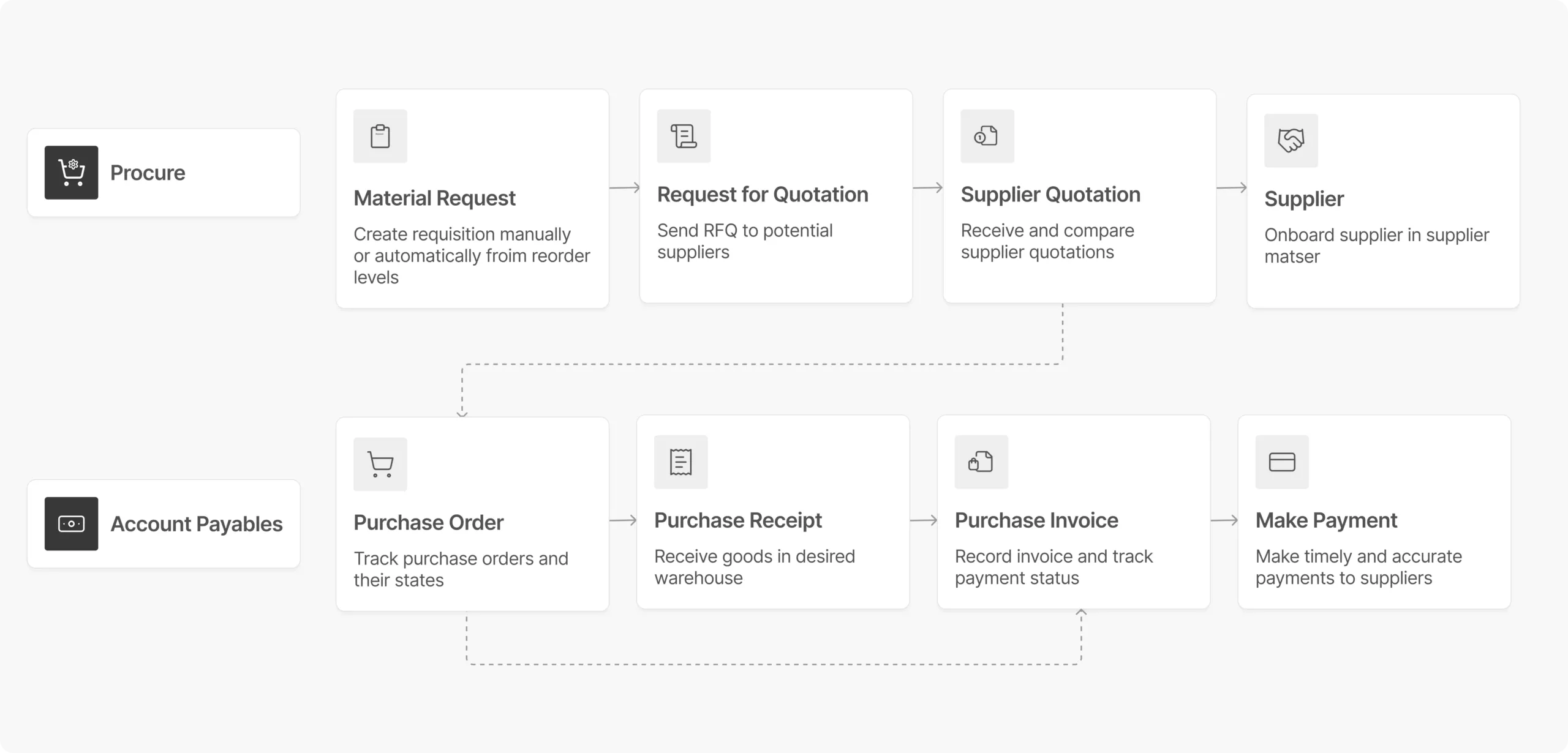
Purchases are often the biggest expense a company incurs, and poor management can impact cash flow, profitability, and growth. With ERP Cloud, you can digitize the entire purchase flow—from material requests to invoicing—while ensuring budget limits are enforced.
Procurement
1
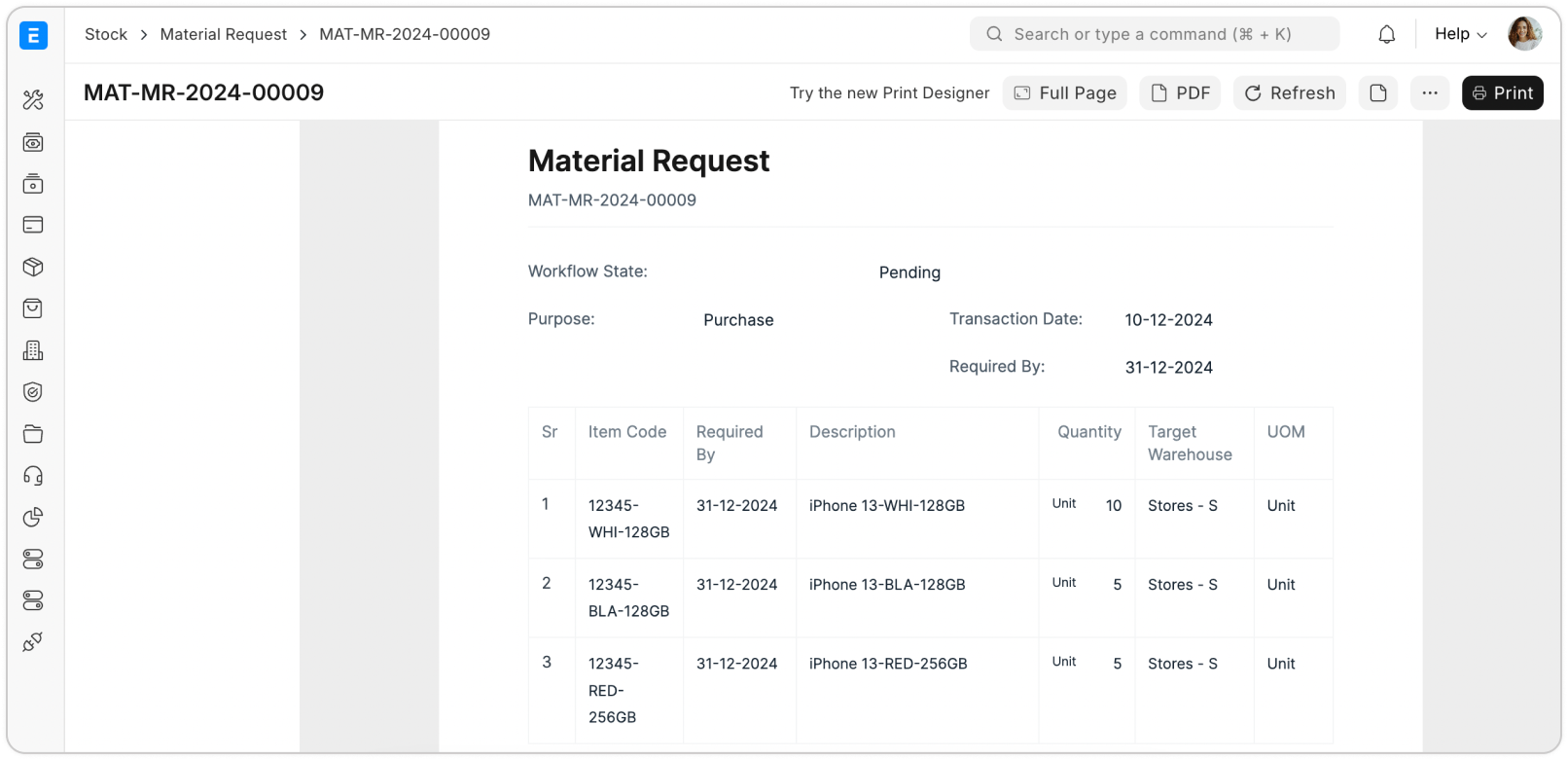
Automate procurement with material requests
Optimised purchasing is all about buying the items, in the right quantity, at the fair price. The integrated Buying module of ERP Cloud allows users from different departments like sales, stores and manufacturing departments to raise flags to the procurement team, just when the need arises.
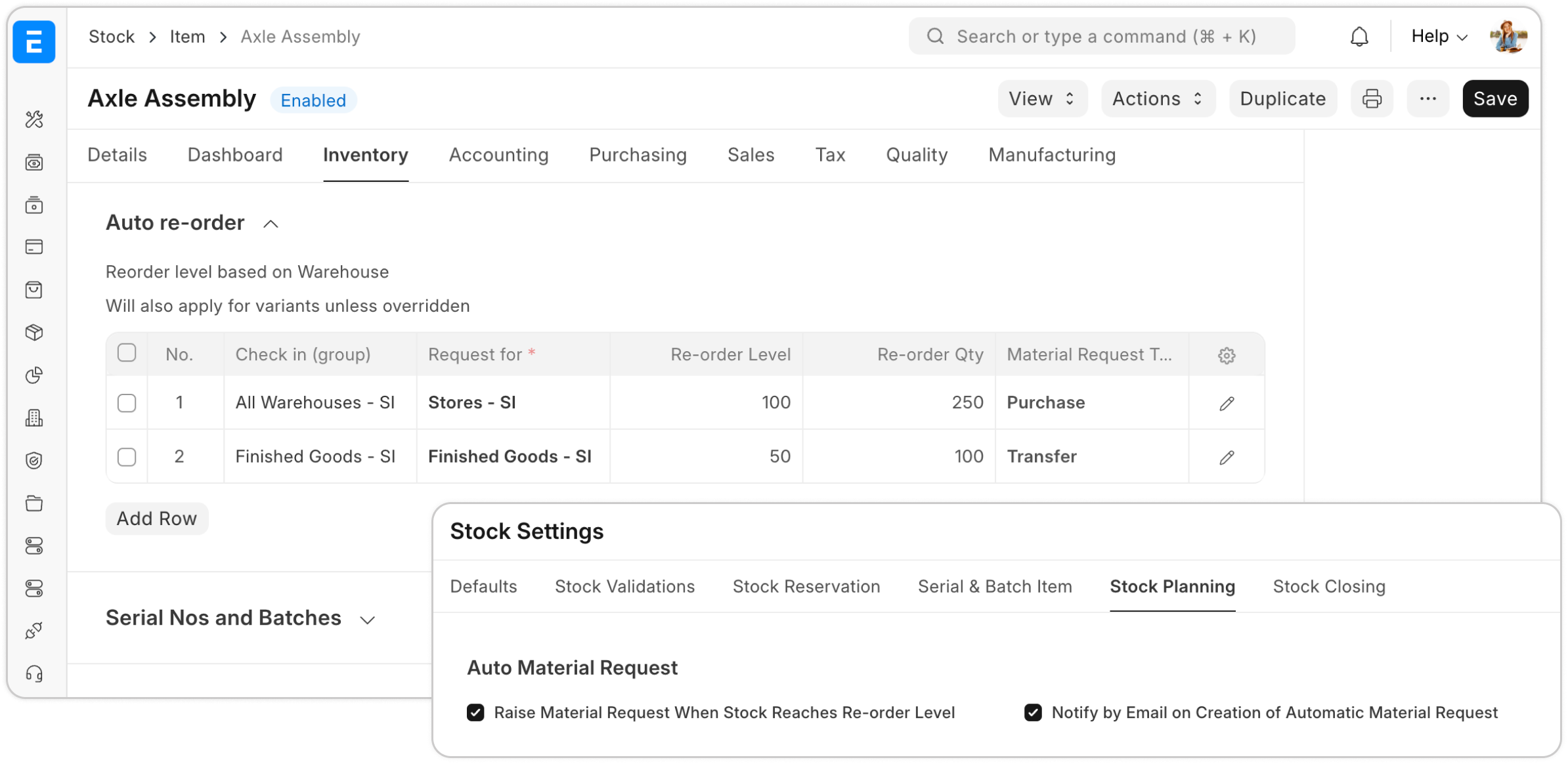
Automate stock replenishment with auto re-order
ERP Cloud automatically raises the flag to the procurement team by comparing your current stock levels vis-a-vis the re-order level threshold of an item, ensuring timely replenishment. It gets as close as AI-enabled for your purchasing.
2
3
Request for quotation
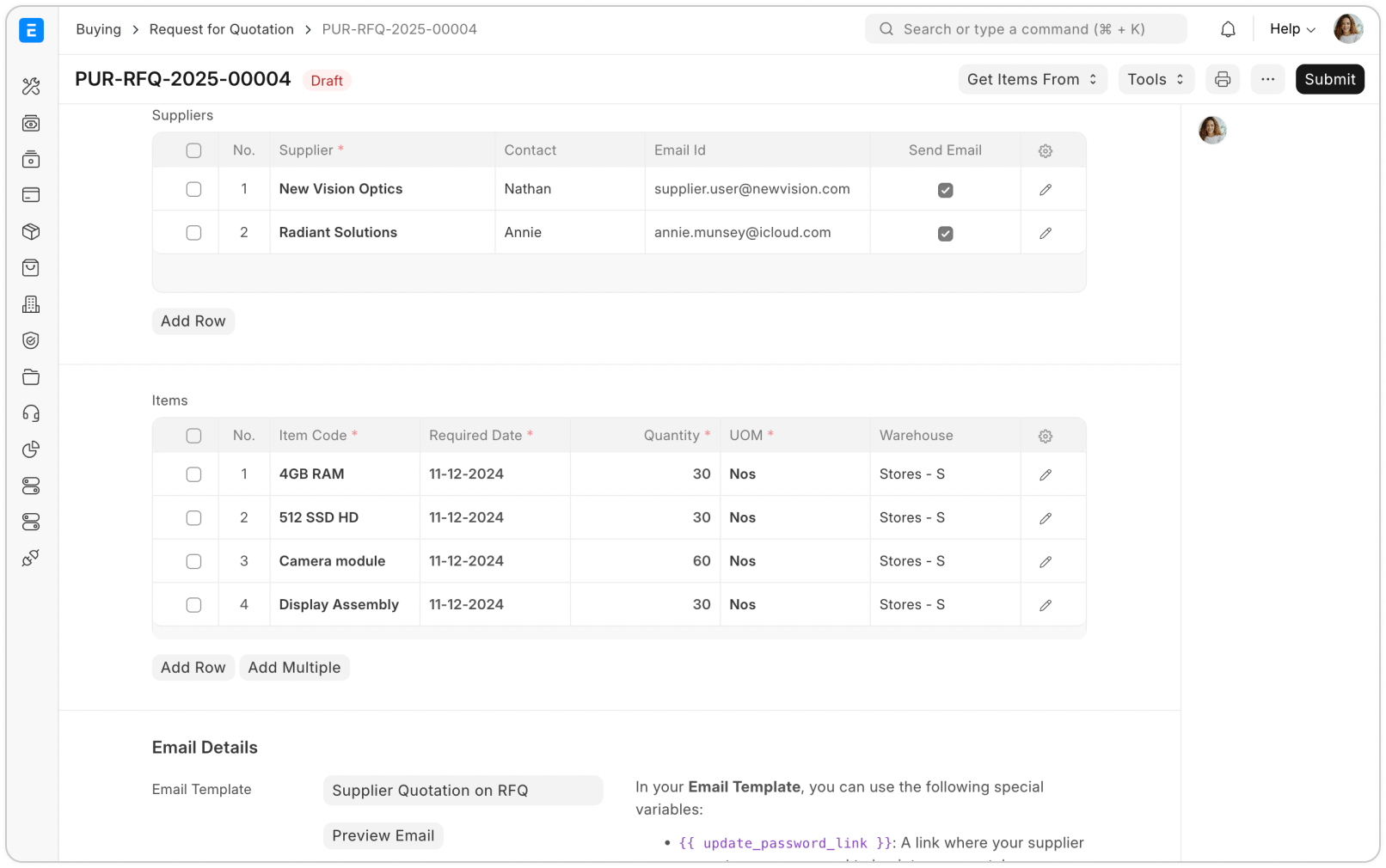
Simplify the quotation process by enabling Suppliers to access your Request for Quotation (RFQ) via the Supplier Portal—reducing back-and-forth communication. With all necessary details at your fingertips, issuing Purchase Orders becomes effortless. The buying workflow ensures you make informed purchasing decisions every time.
Supplier quotation
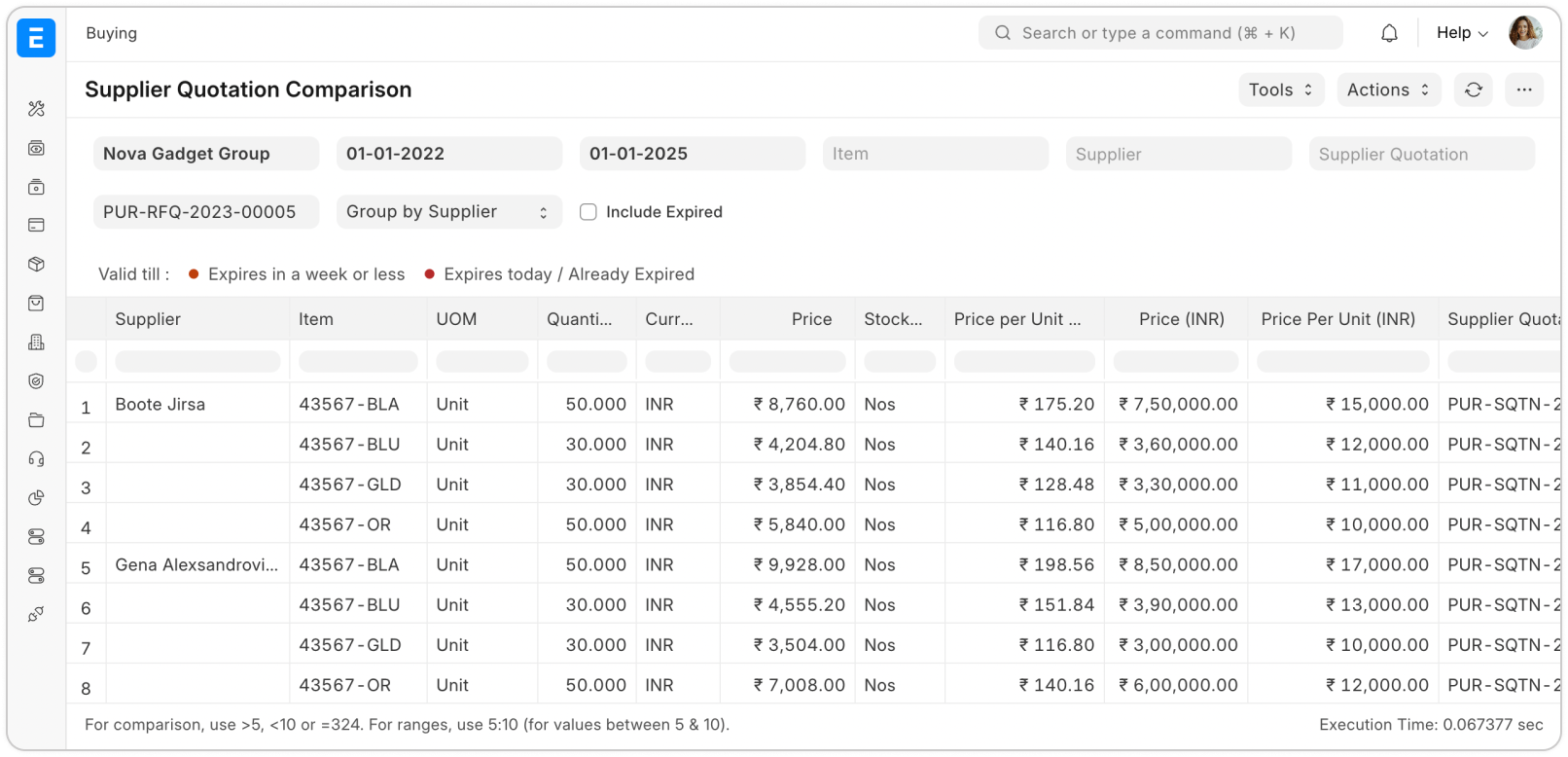
Effortlessly compile all supplier quotations received in response to your RFQ for easy comparison. Use the Supplier Quotation Report to perform a detailed line-by-line analysis of item pricing across multiple suppliers. The Supplier Quotation tool helps you compare offers, negotiate effectively, and secure the best deals for your business.
4
5
Centralize procurements through purchase order
Centralize procurement with Purchase Orders to ensure a structured and efficient buying process.
Streamline sales communication with the Lead and Opportunity modules, enhancing transparency and ensuring every team member has full context on lead progress.
Receive goods
Timely receipt of purchase items is critical to prevent stock-outs and maintain a smooth manufacturing flow. Use a one-click report to track delayed receipts and enable timely notifications to ensure procurement teams and suppliers meet delivery deadlines.
6
7
Managing payable and payment
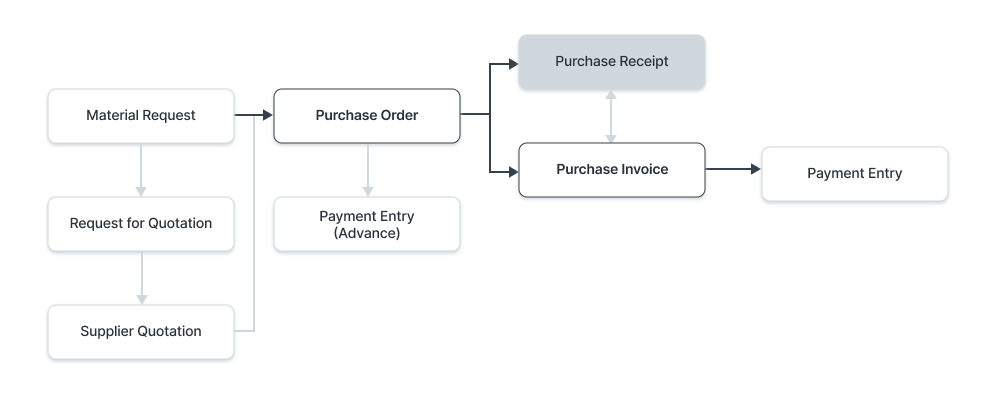
Maintain strong supplier relationships by ensuring timely payments. With Purchase Orders and Receipts already logged, creating invoices takes just a few clicks. Perpetual Inventory keeps stock balances updated in real-time, reflecting directly in the Balance Sheet, while purchase liabilities are automatically recorded upon Purchase Invoice submission. Stay tax-compliant by configuring taxation and withholding clauses within invoices. Refer to regional compliance guidelines for details.
Procurement reports and analytics
Track your procurement items with ease by using tools such as procurement tracker, purchase analysis, etc. Identify and gain visibility of the purchase trends across different item levels, cost centers, etc. Track suppliers Implement budget controls and make intelligent decisions across your entire procure-to-pay process using comprehensive reports.