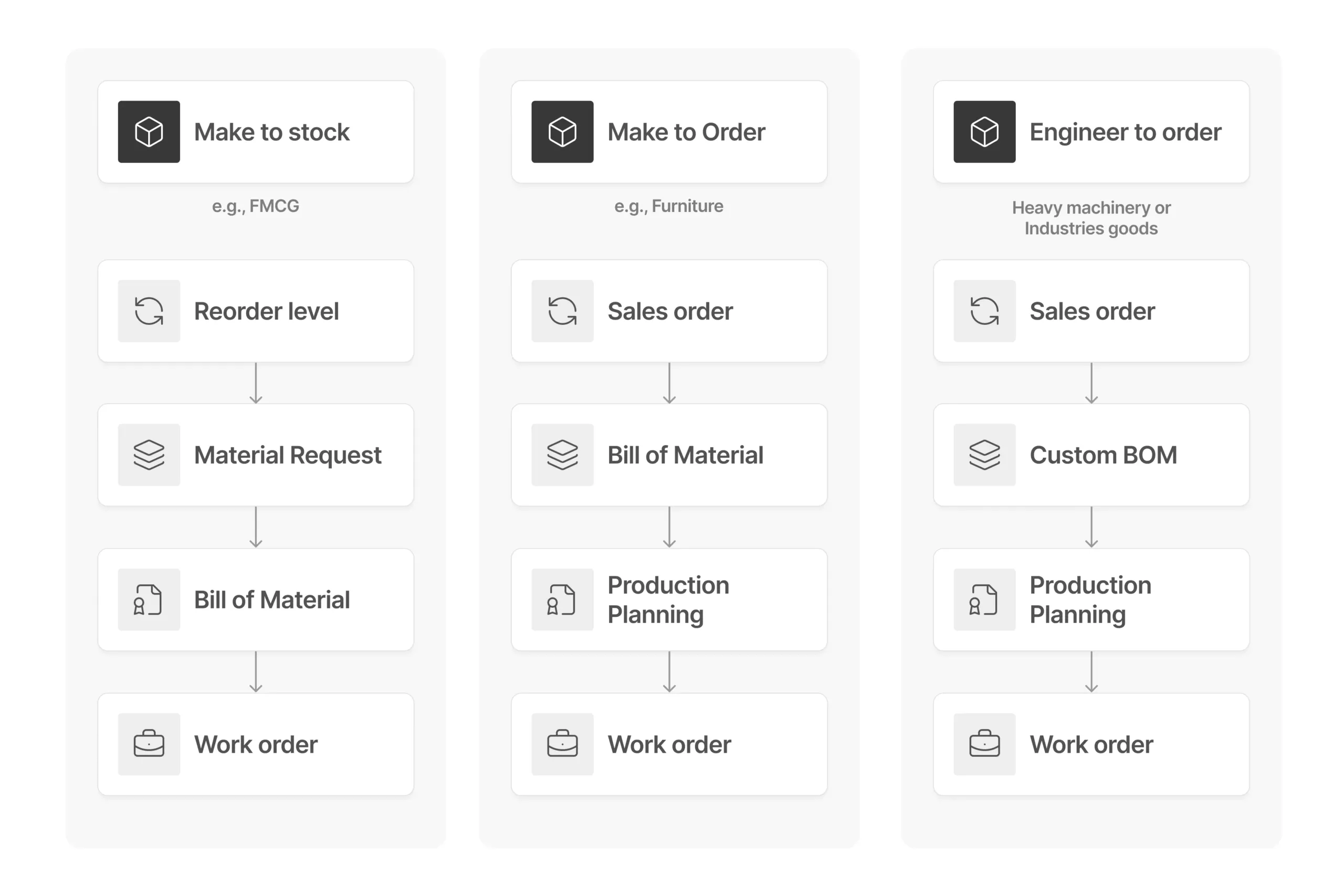
With ERP Cloud manufacturing module, you can track multi-level BOMs (Bill of Materials) for both finished goods and sub-assemblies. Integration with sales and stock ensures you stay ahead, anticipating upcoming production jobs and pre-planning your production queues. Estimate raw material requirements and initiate timely requisitions to keep things flowing. Ensure the accurate valuation of produced items, along with quality checks, before back-flushing is carried out.
Get 100% visibility and traceability in your manufacturing process
1
Maintain BOM operations
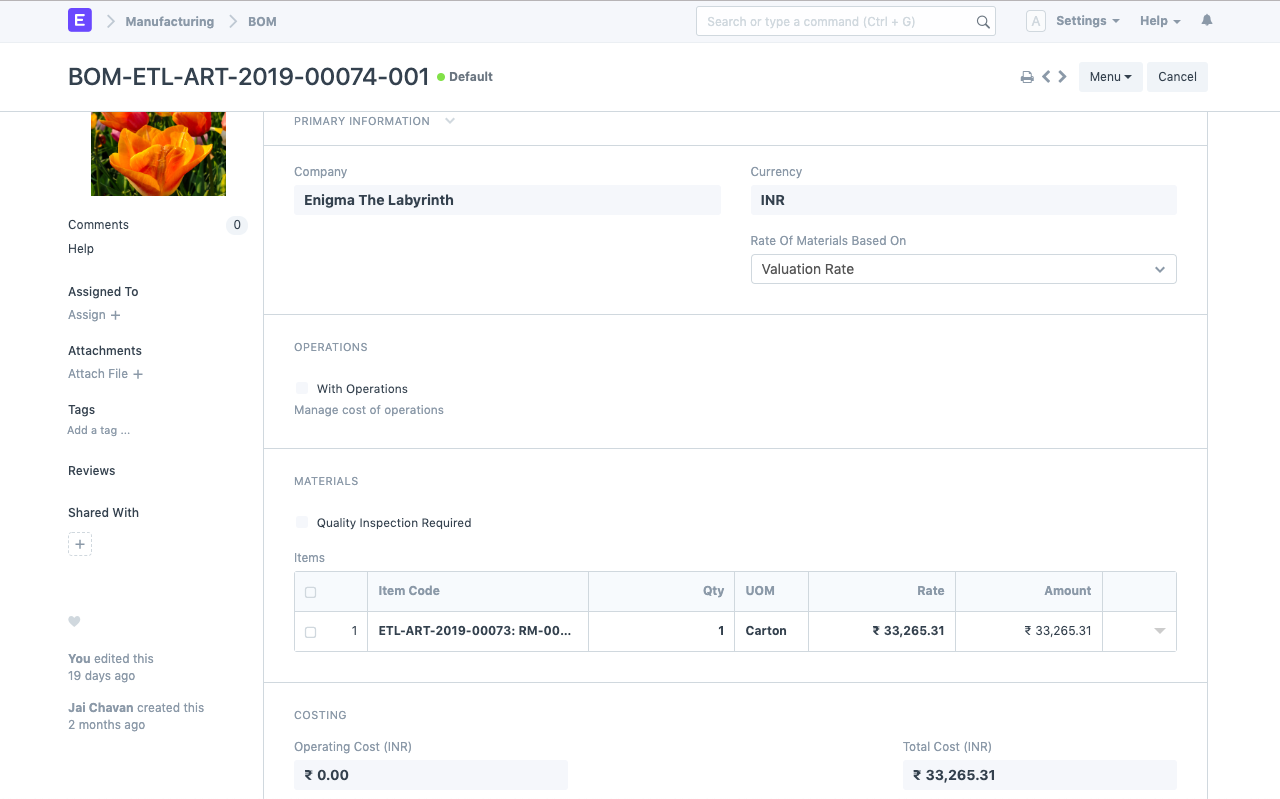
The Bill of Materials (BOM) is the core of every manufacturing operation, linking all processes back to its details. In ERP Cloud, you can maintain comprehensive BOM records, specifying raw materials in different quantities and units of measurement (UoMs) while outlining the sequence of operations needed to transform them into finished goods.
Production planning
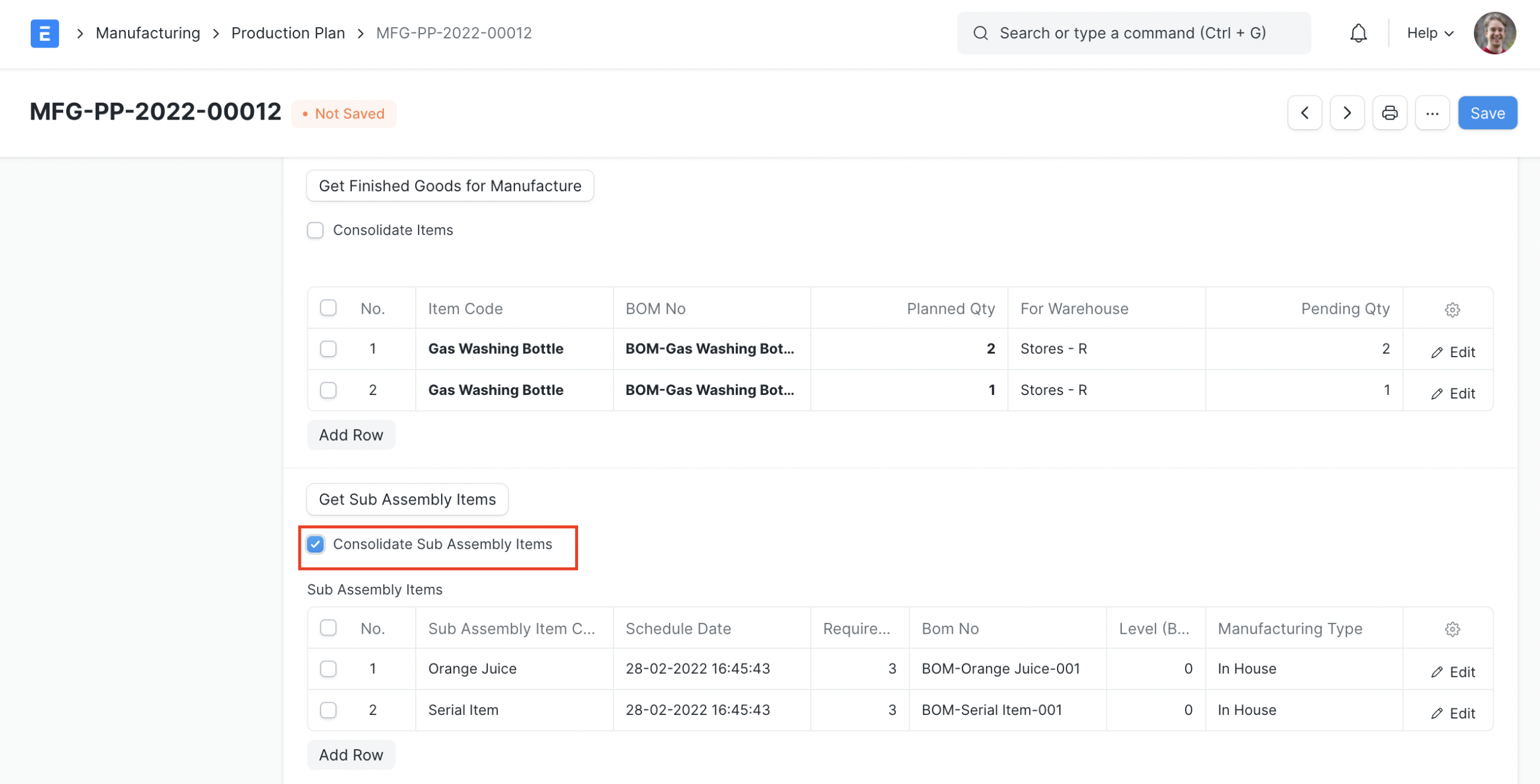
Building a production queue requires taking lots of factors into consideration, like committed delivery date to customer, availability of raw-materials and sub-assemblies. Production planning provides a step-wise solution to pull items to be produced, fetch raw materials through their BOMs and check their availability in various warehouses. It enables you to request raw-materials and initiate Work Orders accordingly.
2
3
Work order
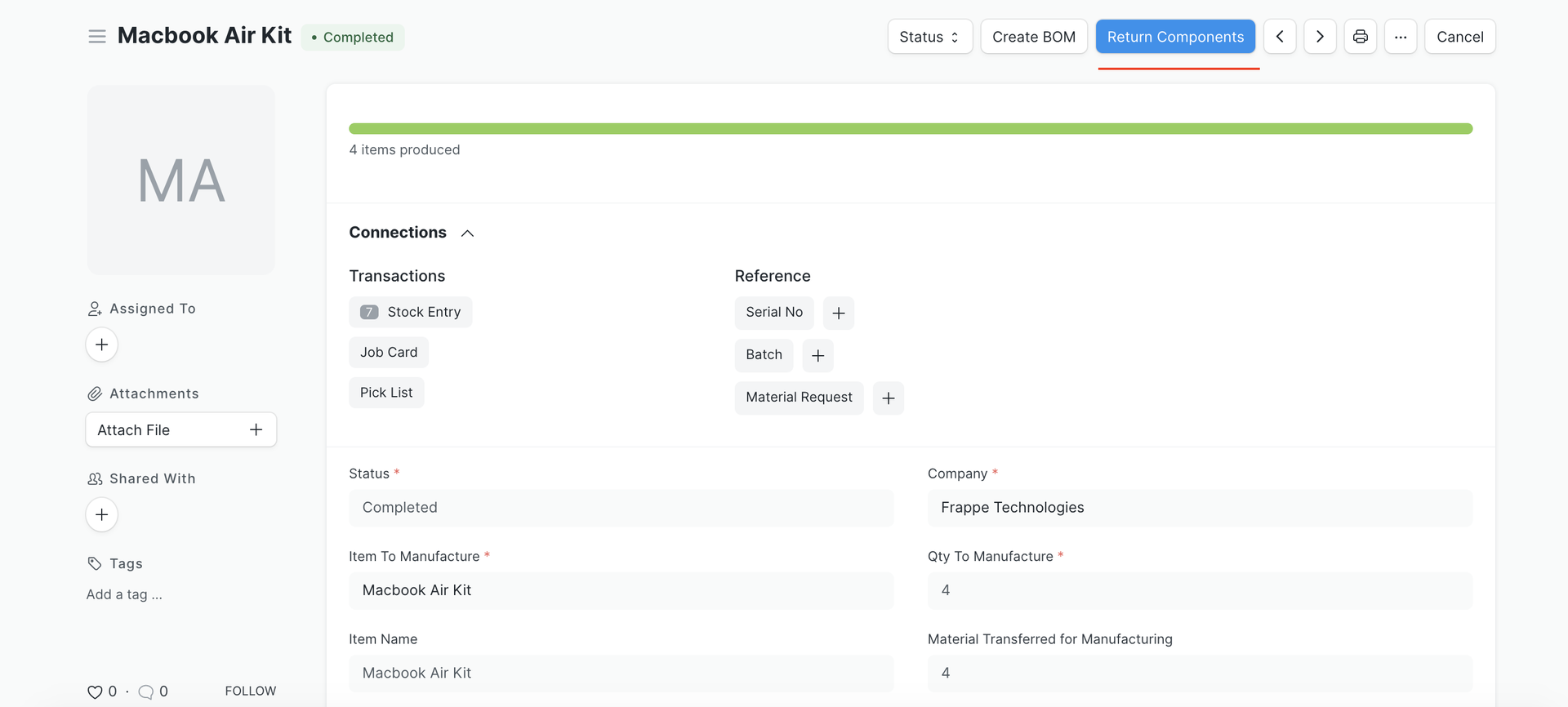
A Work Order is the key directive for the manufacturing team, outlining the production process as defined in the linked BOM.
It serves as the central document, triggering raw material transfers, generating Job Cards, and enabling backflushing of finished goods. Sales teams can also refer to Work Orders to track production progress and keep customers updated.
Capacity planning
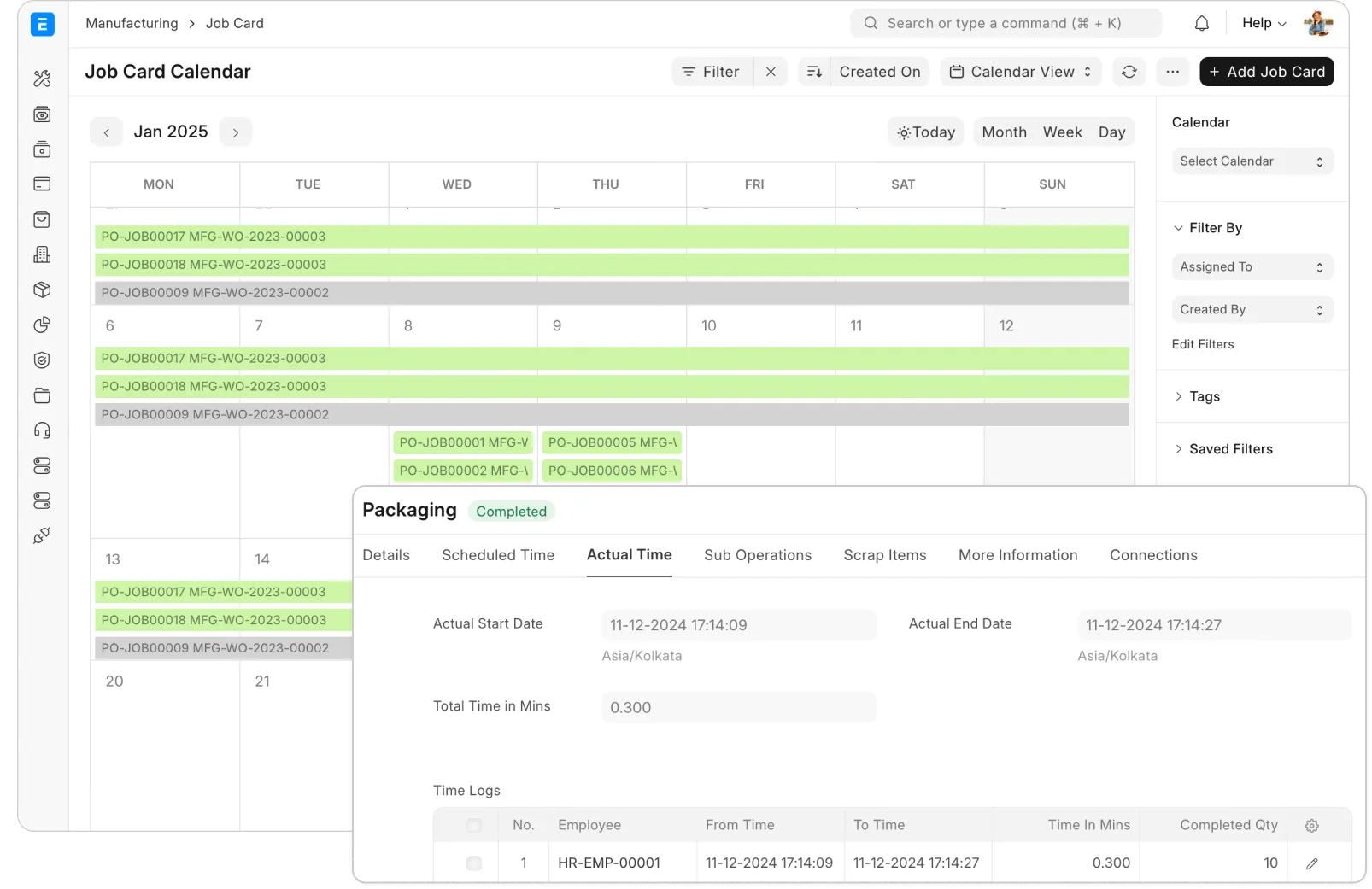
Factory operating costs form a significant part of a company’s expenses. Hence, mismanaging production job allocation on Workstations can result in major losses. ERP Cloud capacity planning feature helps track workloads on each workstation, enabling efficient scheduling of future production jobs.
4
5
Subcontracting
Focus on what you do best and let subcontracting handle the rest. By partnering with experts, you can leverage your core competencies while outsourcing specific tasks. ERP Cloud simplifies this process by allowing you to mark items as subcontracted to suppliers and manage all subcontracting orders in one centralized system.
Identify subcontracting items
Even when subcontracting, discipline and precise tracking are crucial to ensure quality and accuracy. In ERP Cloud, you can flag each subcontracted item and link it directly to a detailed Bill of Materials (BOM). This provides a clear list of materials to supply to the subcontractor, reducing logistical challenges and ensuring smooth operations.
6
7
Subcontracting orders
A Subcontracting Order in ERP Cloud captures all essential details, including the items to be subcontracted and their BOM. It acts as a central document to manage the transfer of raw materials to subcontractors and track the receipt of finished goods. When finished items are received, ERP Cloud ensures that the raw materials supplied to subcontractors are accurately consumed.
Subcontracting billing
While subcontracting focuses on transforming raw materials into finished goods, accurate billing is equally critical. ERP Cloud allows you to bill your subcontractors for the service, while the actual item received remains a stock item. This ensures seamless creation of Purchase Orders, receipts, and invoices for subcontracting services. The workflow ensures compliance with statutory regulations and guarantees that payables are accurately recorded.
8
9
Manufacturing reports and dashboards
Even when subcontracting, discipline and precise tracking are crucial to ensure quality and accuracy. In ERP Cloud, you can flag each subcontracted item and link it directly to a detailed Bill of Materials (BOM). This provides a clear list of materials to supply to the subcontractor, reducing logistical challenges and ensuring smooth operations.