Effective stock management is the backbone of retail, distribution, and manufacturing business. Create Item Master as your single source of truth, eliminating duplications. Keep tight control over stock movements with built-in approvals and quality checks. Maintain accurate item valuations, enabling precise profitability reports. Automate stock replenishment based on customer orders and forecast reports.
Complete inventory management system
1
Centralized item master
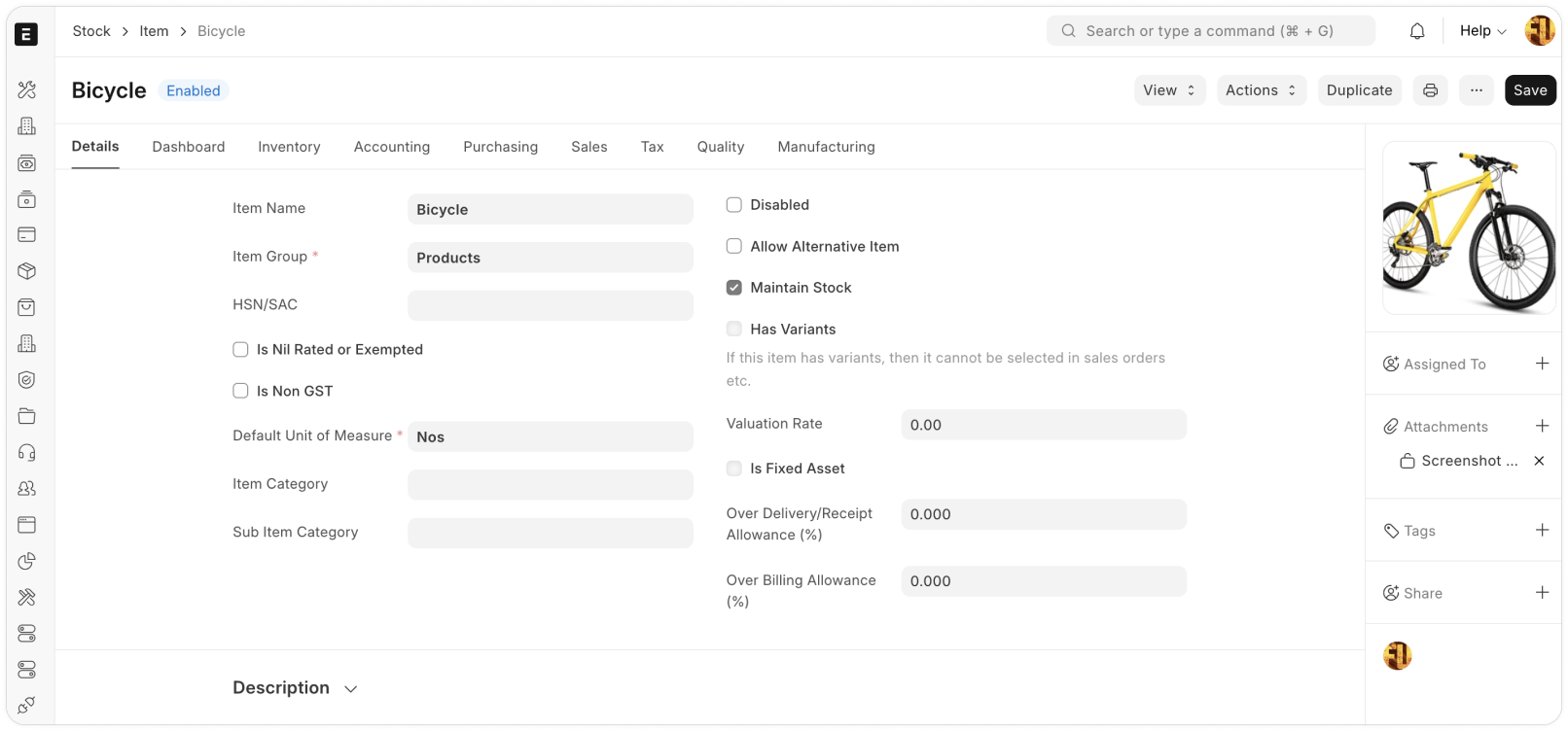
Define product categories as Item Groups, and get an analysis of stock movement of item and Item Group level. Define naming convention for the Items to prevent duplication and discover Items with ease. Manage items having different nature and purpose like stockable items, consulting service, raw-material and sub-contracted items.
Flexible warehouses
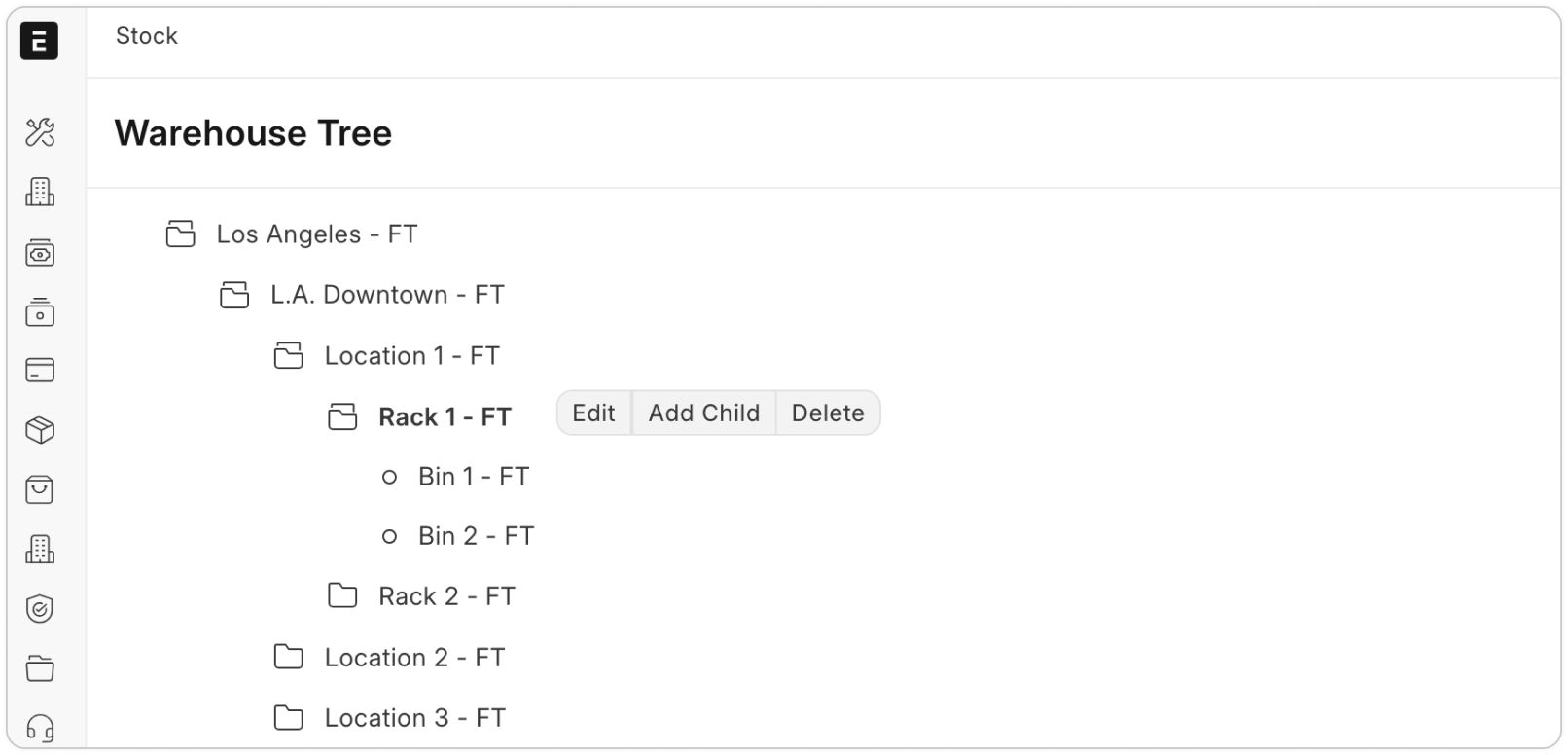
Warehouses serve as the physical or virtual hubs where inventory is stored and managed. ERP Cloud simplifies this with a tree-view Warehouse Master, allowing you to design a structure that mirrors your warehouse layout and its sub-locations.
The Perpetual Inventory valuation system integrates a warehouse with an accounting ledger. This ensures automatic General Ledger postings alongside Stock Ledger updates, providing accurate and real-time inventory valuation.
2
3
Maintain inventory levels using stock replenishment
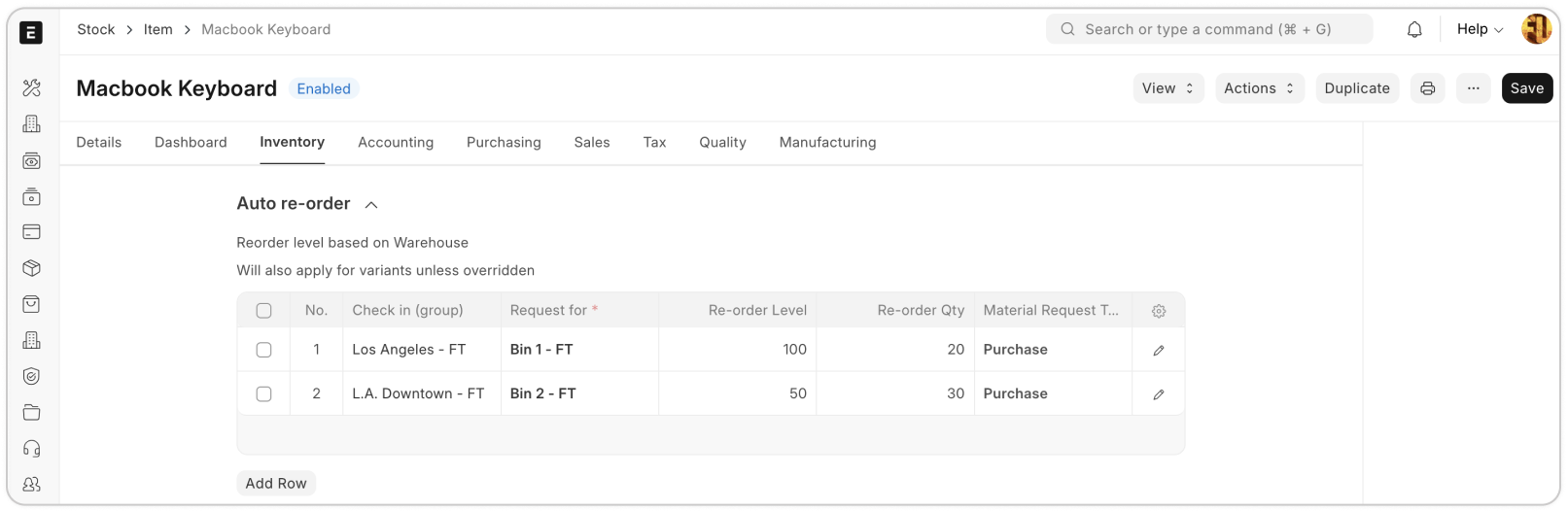
Prevent stockouts by setting re-order levels and quantities for an item and a warehouse. With ERP Cloud, automate the replenishment process by triggering Material Requests automatically when stock reaches the re-order threshold. This ensures you stay ahead of inventory needs and maintain smooth operations.
Improve order fulfillment using stock reservation
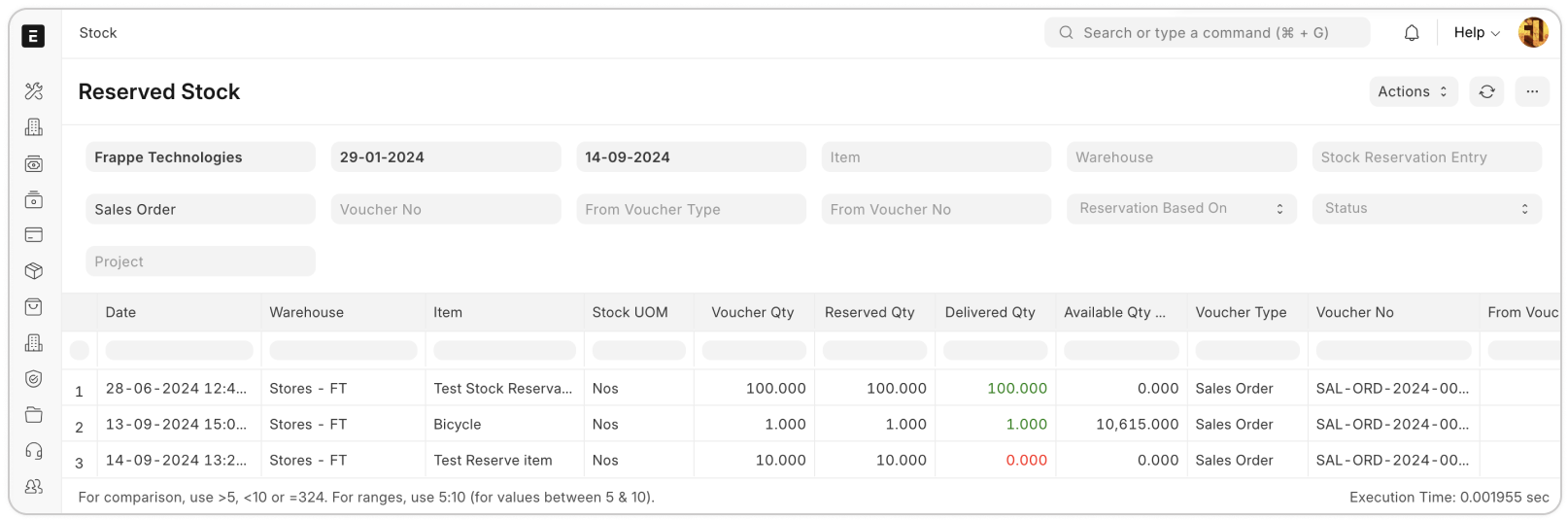
If you operate on a Make to Order or Purchase to Order basis, linking your orders to purchasing or manufacturing processes becomes essential. ERP Cloud ensures that stock purchased or manufactured is reserved for specific orders, preventing the same items from being dispatched to different customers. This guarantees accurate order fulfillment and prevents stock conflicts.
4
5
Reconcile inventory levels for accuracy
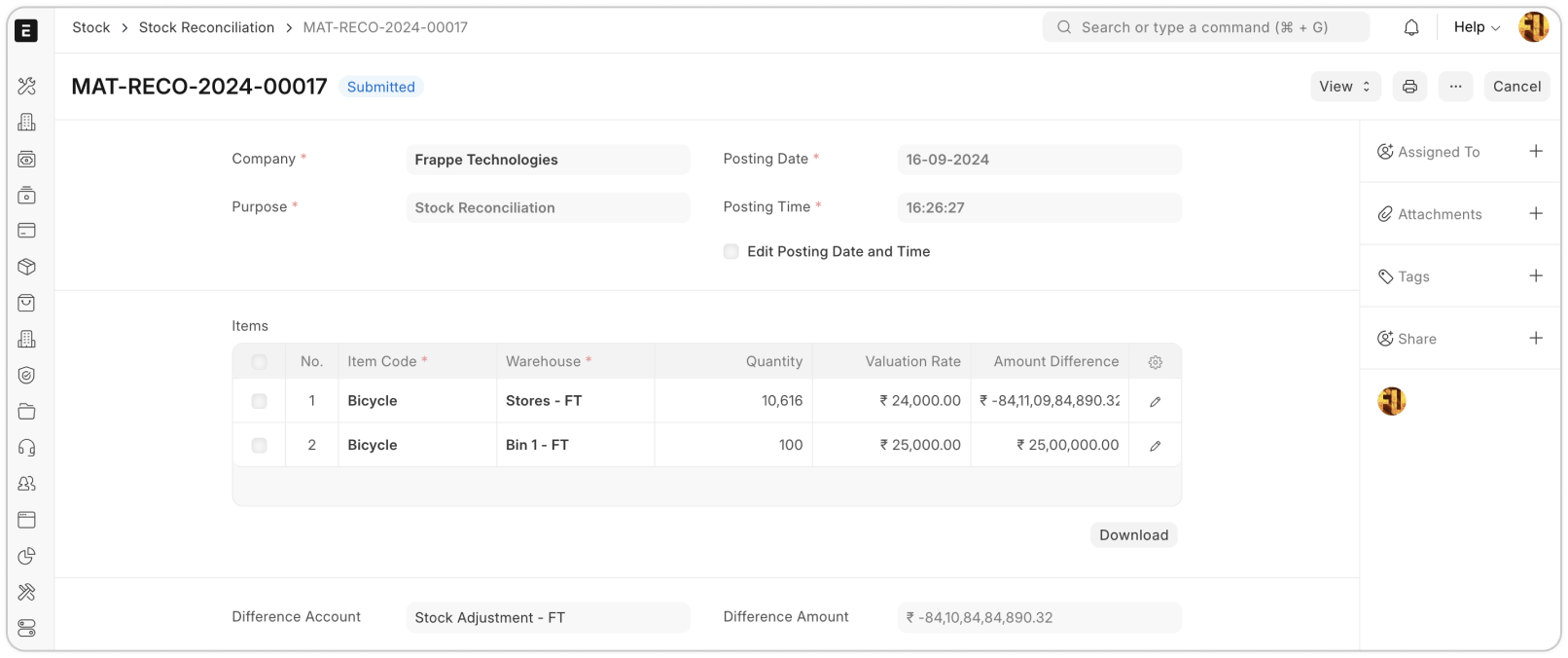
Just like a sailing ship’s course is subtly altered by waves, frequent stock movements can cause discrepancies between your ERP system’s stock balance and the actual inventory in the warehouse. Stock Reconciliation helps you course-correct by aligning the system’s stock records with the physical inventory, ensuring everything stays in sync.
Putaway and Pick List
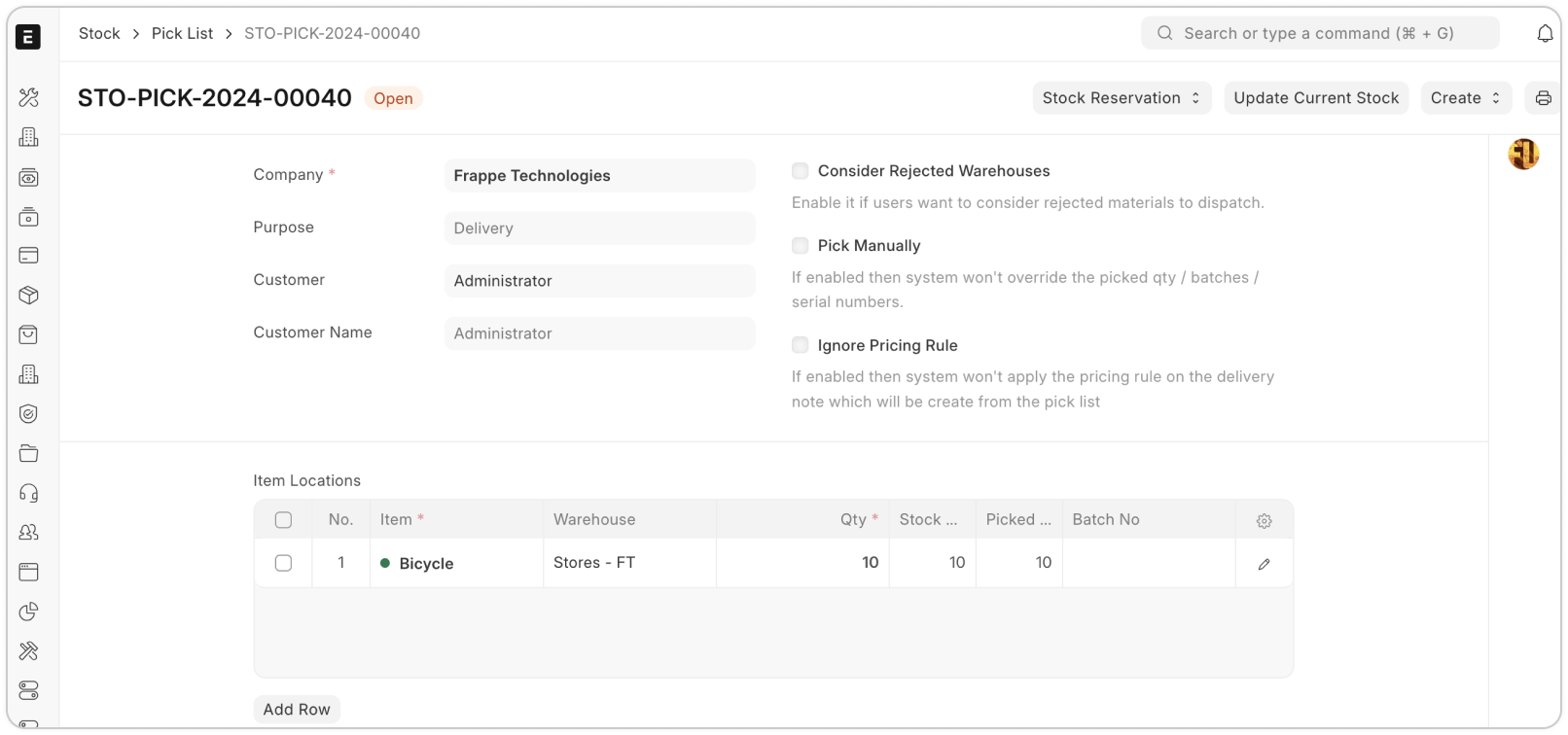
Storing the right items in the right locations makes it easier to find products in a large warehouse. With putaway rules, you can assign specific racks or bins to particular product types, optimizing space and organization.
6
7
Serialised and Batched Inventory
If you’re dealing with high-value items that come with product warranties, ERP Cloud Serialized Inventory feature helps you track each unit meticulously. With serialized inventory, you can monitor the purchase details—where the item came from and at what price. When sold, link customer details in the Serial Master and update the warranty expiry for the item.
Stock Aging
To optimize item placement in your warehouse, it’s crucial to identify slow and fast-moving items. ERP Cloud Stock Aging report makes this process easier by highlighting items based on their movement speed. This helps you strategically position stock, ensuring faster access to high-demand products and better space utilization for slower-moving items.
8
9
Stock Balance and Stock Ledger Report
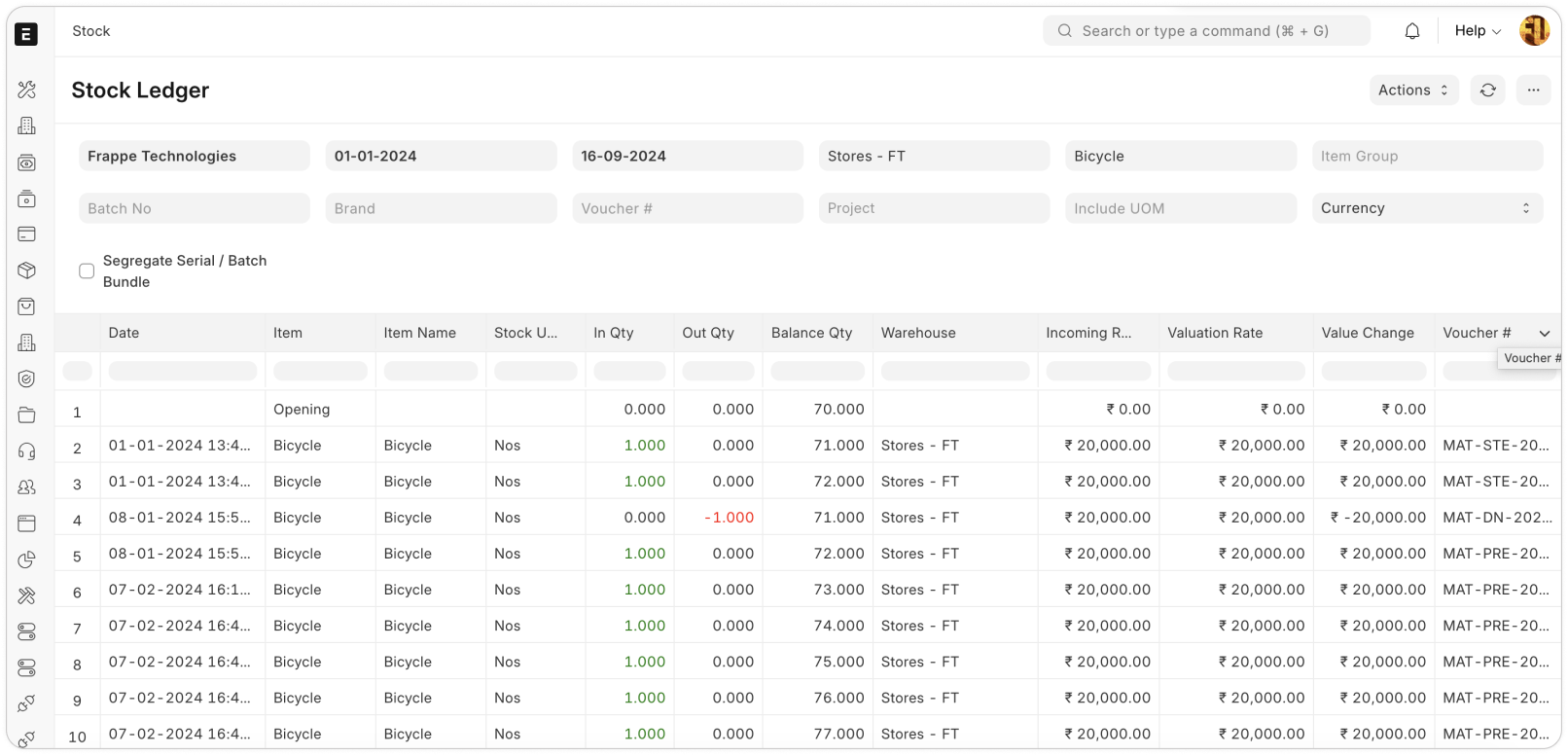
The Stock Ledger, stock balance, and available batch reports offer detailed insights into inventory levels at specific warehouses on any given date. These reports ensure precise tracking and efficient stock management, helping you stay on top of your inventory.